Pepperland NX
The Beatles: Rock Band for Nintendo SwitchThe Beatles: Rock Band para Nintendo Switch
An unofficial homebrew port of the Xbox 360 game. This page makes its SD card folder from your own copy of the game, right here in your browser.
Un port homebrew no oficial del juego de Xbox 360. Esta página crea su carpeta para la tarjeta SD a partir de tu propia copia del juego, aquí mismo en tu navegador.
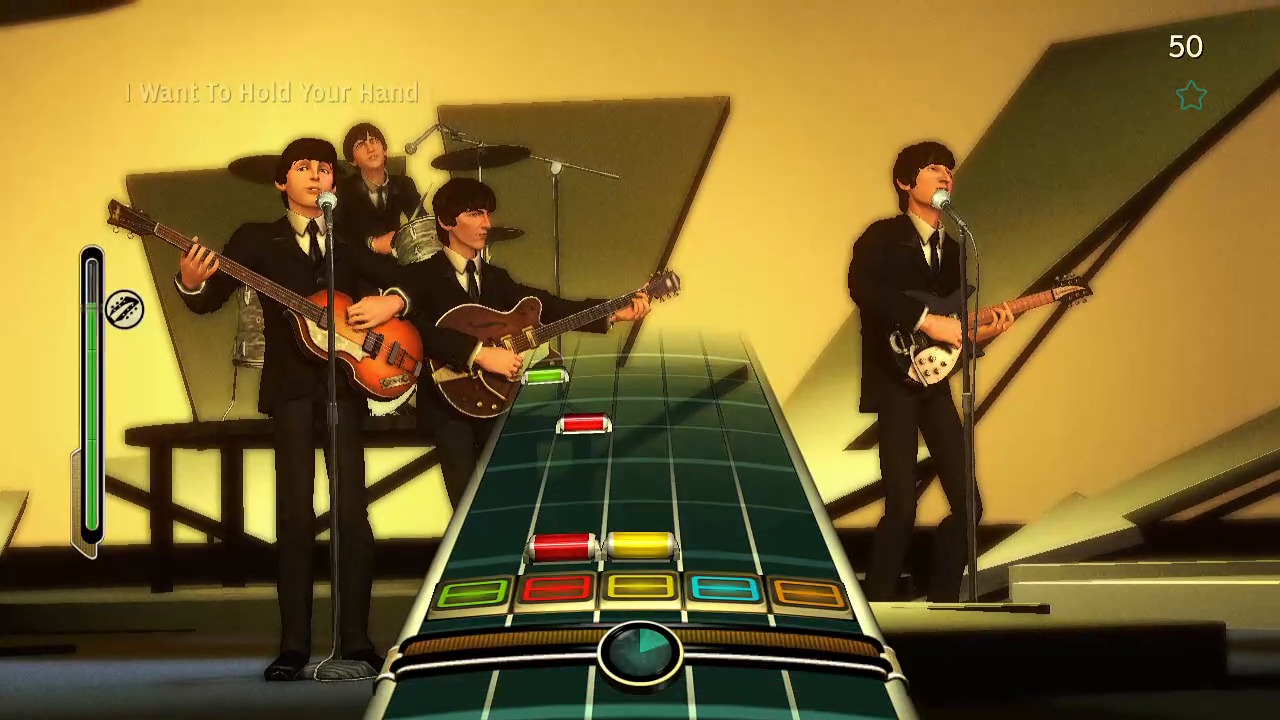 Real gameplay on a Switch LiteJuego real en una Switch Lite
1Choose your gameElige tu juego
Your own The Beatles: Rock Band for the Xbox 360 (the World edition in English, French, German, Spanish and Italian). This page checks it, then reads only the game's main program (default.xex) from it, which unlocks the port: the port is made from that file and doesn't work without it. Choose one of these:
Tu propio The Beatles: Rock Band para Xbox 360 (la edición World en inglés, francés, alemán, español e italiano). Esta página lo comprueba y solo lee de él el programa principal del juego (default.xex), que desbloquea el port: el port está hecho a partir de ese archivo y no funciona sin él. Elige una de estas opciones:
- The game's files: choose
default.xex, from the folder that also has thegenfolder, andnxeartnext to it for the game's own icon and art (step 2). - A disc image:
.iso(a full disc dump or a trimmed XISO), or a split one: choose all its parts at once (name.iso.001,name.iso.002, …).
- Los archivos del juego: elige
default.xex, de la carpeta que también tiene la carpetagen, ynxeart, que está a su lado, para el icono y el arte propios del juego (paso 2). - Una imagen de disco:
.iso(una copia completa del disco o una XISO recortada), o una dividida: elige todas sus partes a la vez (nombre.iso.001,nombre.iso.002, …).
A Games on Demand package works on the Switch, but here choose its default.xex or a disc image. Not accepted: .zip, .rar or .7z files (extract them first), and other consoles' versions.
Un paquete Games on Demand funciona en la Switch, pero aquí elige su default.xex o una imagen de disco. No se aceptan: archivos .zip, .rar o .7z (extráelos antes), ni versiones de otras consolas.
2Pick the icon and the versionElige el icono y la versión
The icon the HOME Menu, hbmenu and Sphaira show for the port.
El icono que muestran el menú HOME, hbmenu y Sphaira para el port.
The game icon and game art are the Xbox 360 dashboard's, read from your own copy (its nxeart file) once you choose it in step 1, like the port itself. Your picture is cut to a square from its centre and made 256×256.
El icono y el arte del juego son los del panel de la Xbox 360, leídos de tu propia copia (su archivo nxeart) cuando la eliges en el paso 1, como el propio port. Tu imagen se recorta en un cuadrado desde su centro y queda de 256×256.
3Put it on the SD card and playPásalo a la SD y a tocar
- Extract
Pepperland-NX-SD.zipto the root of your SD card (merge it with theswitchfolder there). It makesswitch/tbrb-nx/. - Copy your game into
switch/tbrb-nx/game/: the extracted files (default.xexand thegenfolder), the disc image (all its parts, if it is split) or the Games on Demand folder. Once is enough: updates don't need it again. - On the Switch, hold R while starting any game, then choose Pepperland NX in the Homebrew Menu (not from the Album: it doesn't have enough memory).
- Descomprime
Pepperland-NX-SD.zipen la raíz de tu tarjeta SD (combínalo con la carpetaswitchque ya tenga). Creaswitch/tbrb-nx/. - Copia tu juego en
switch/tbrb-nx/game/: los archivos extraídos (default.xexy la carpetagen), la imagen de disco (todas sus partes, si está dividida) o la carpeta Games on Demand. Basta una vez: las actualizaciones no la necesitan de nuevo. - En la Switch, mantén R mientras abres cualquier juego y elige Pepperland NX en el Homebrew Menu (no desde el Álbum: ahí no hay memoria suficiente).
The .nro you get is made from your copy of the game: keep it for yourself, never share or upload it. If songs run slow, see the recommended clocks in the guide.
El .nro que obtienes está hecho a partir de tu copia del juego: guárdalo para ti, nunca lo compartas ni lo subas. Si las canciones van lentas, mira los relojes recomendados en la guía.